

Introduction#
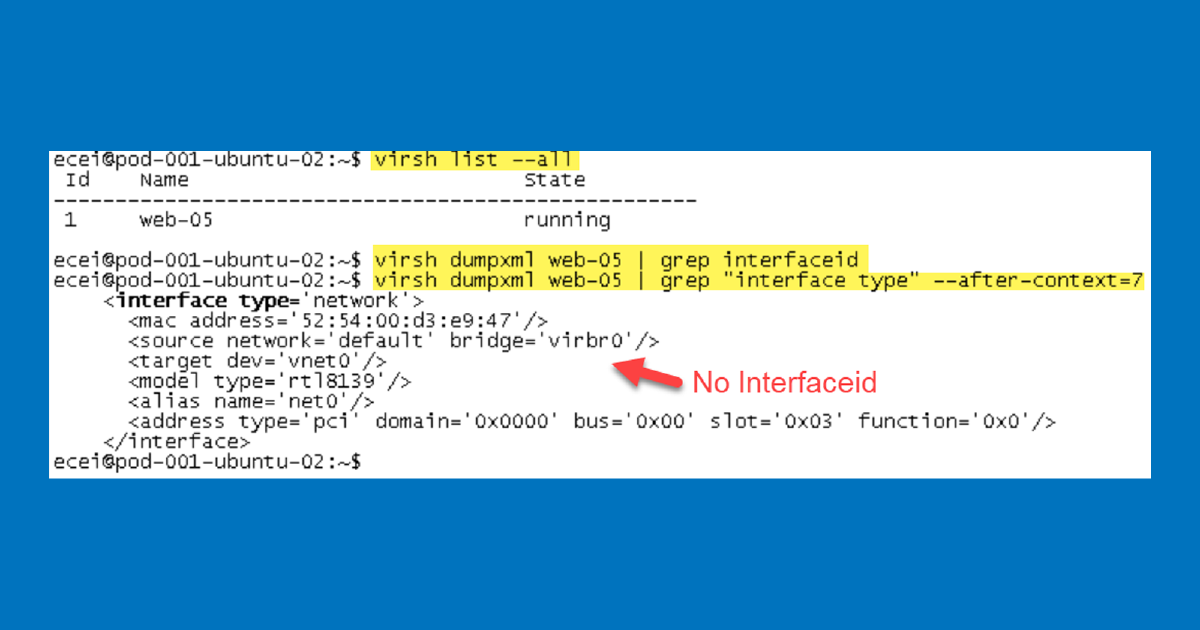
Having recently deployed NSX-T in our environment, I can say the deployment and configuration were straightforward using the installation docs. When it came time to attach a VM hosted on the KVM host it was a bit unclear how to accomplish this. VMware’s documentation mentions the following command virsh dumpxml | grep interfaceid.
As you can see from the screenshot above I have no interfaceid, what gives??? Admittedly, when it comes to KVM and Openvswitch I’m a bit of a novice. The purpose of this post is to provide additional details around VM configuration on a KVM host for those in a similar situation.
After reviewing VMware’s documentation I decided to jump into VMware’s NSX-T Hands-on-labs to see how the VMs on the KVM hosts were configured:
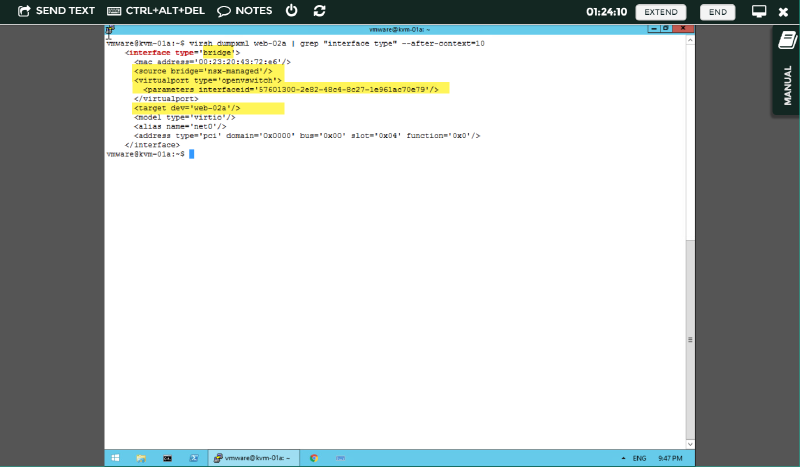
Reconfigure web-05 Virtual Machine#
Excellent, now the first thing to do is to dump the XML configuration of web-05 to file with the following command:
virsh dumpxml web-05 > web-05.xml. After editing the XML to match that of VMware’s hands-on-labs we can proceed with shutting down web-05.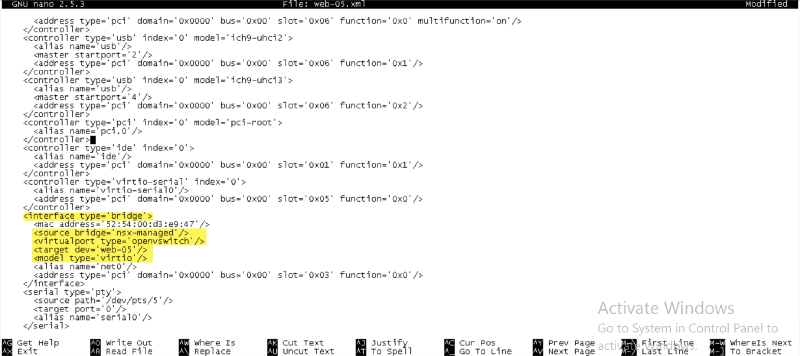
Shutdown web-05 using:
virsh shutdown web-05
Create a domain from the XML file with: virsh create web-05.xml

Confirm interfaceid with:
virsh dumpxml web-05 | grep “interface type” –after-context=10Awesome we now have an interfaceid 😉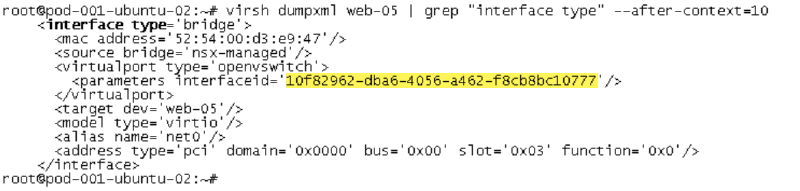
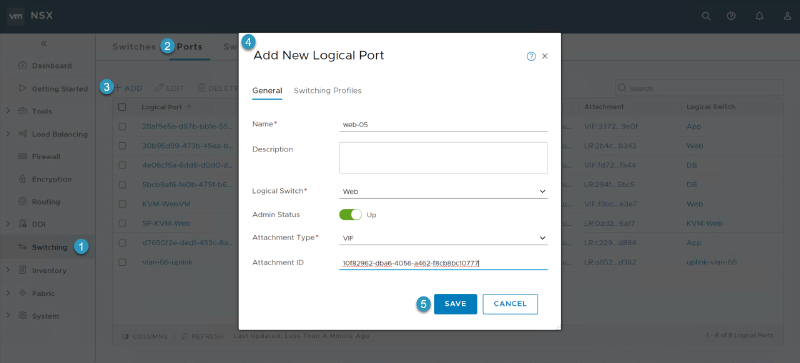
Proceed with creating a new logical port with the interfaceid:
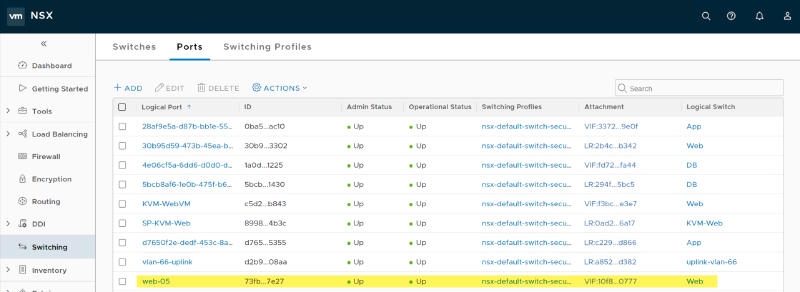
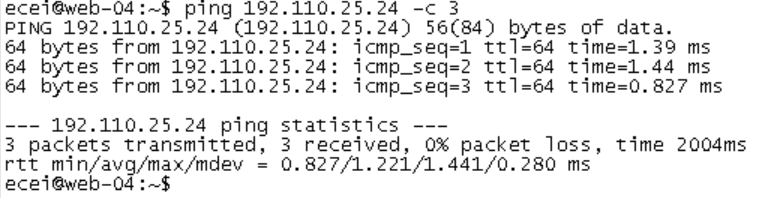
Below demonstrates successful communication from web-04 (192.110.25.23) to web-05 (192.110.25.24):
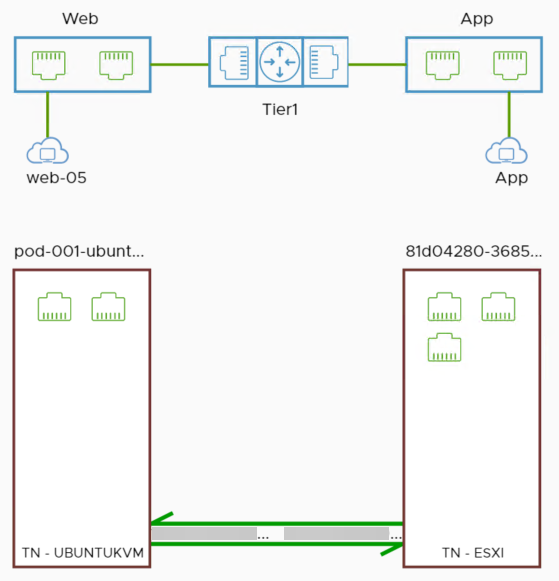
Transport Node & OVS-VSCTL Show#
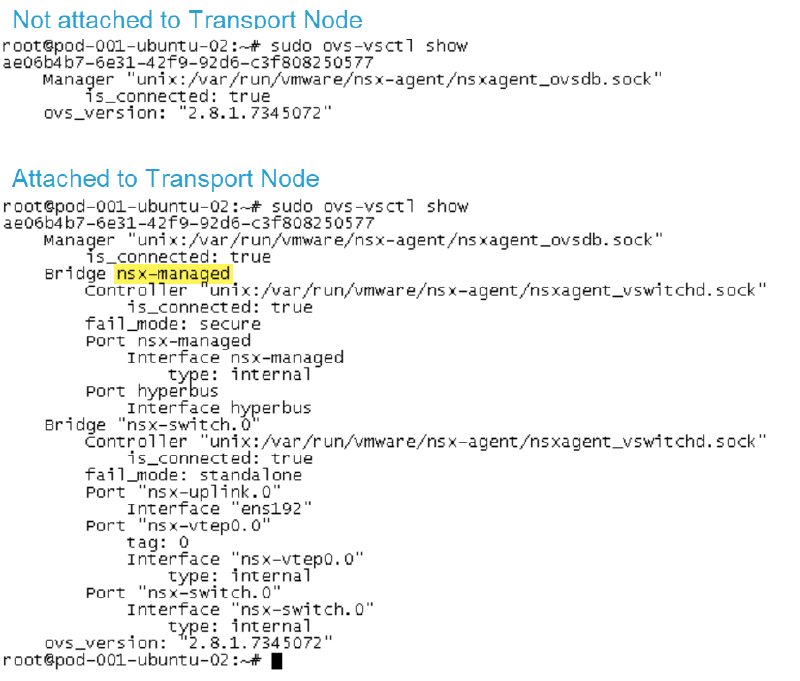
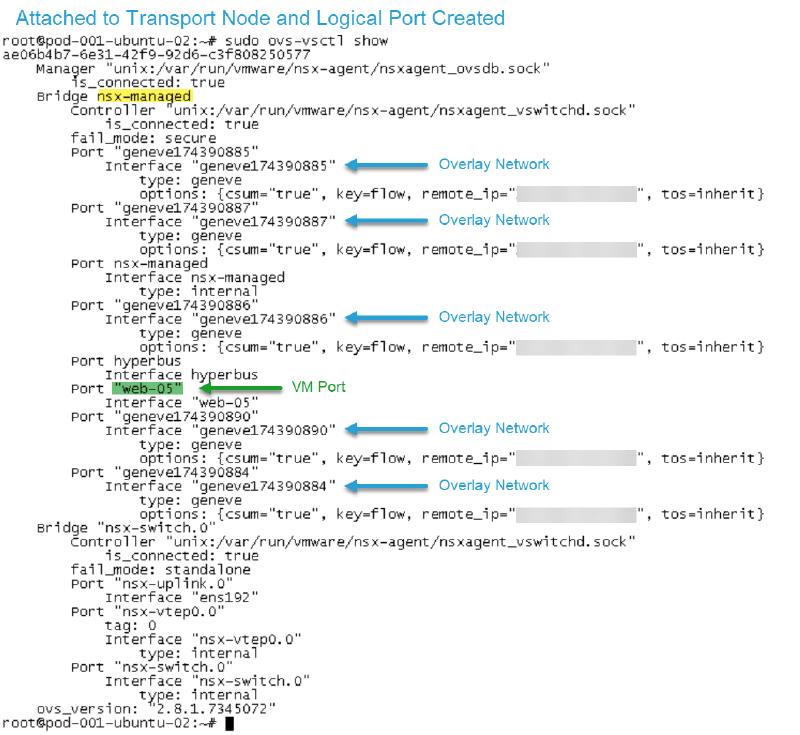
Make sure the KVM host is part of the Transport Node as we will be using the “nsx-manged” bridge. If the host is not part of the Transport Node, ovs-vsctl show you will not see NSX-T bridges:
Thanks for viewing! If you found this post helpful share it with the community. 😄